> ## Documentation Index
> Fetch the complete documentation index at: https://docs.messari.io/llms.txt
> Use this file to discover all available pages before exploring further.
# Authentication
> All Messari API endpoints require an API key for authentication.
### Generating an API Key
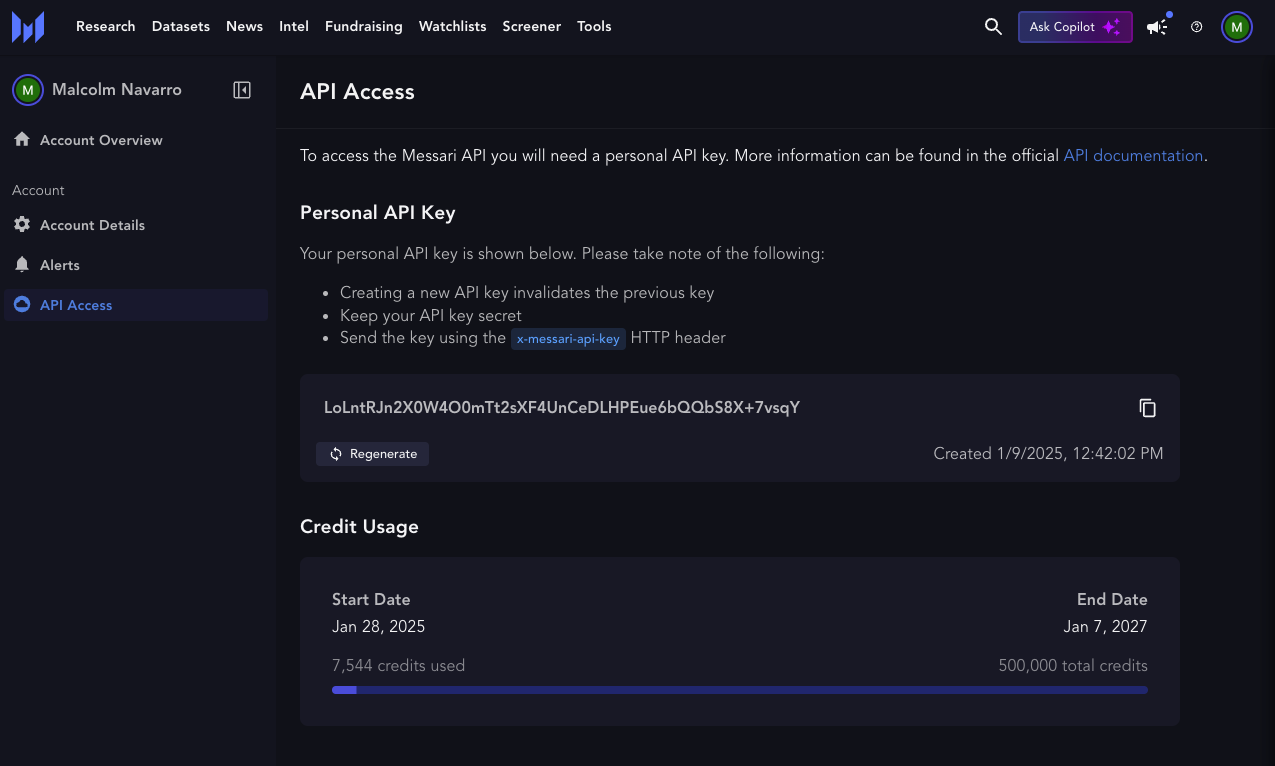 ### Access the API Dashboard
Navigate to the [API Access page](https://messari.io/account/api) in your Messari account.
Your API Key will be visible at the top of the page.
## Using the API Key
The API key must be included in the request headers using the `x-messari-api-key` header field:
```json theme={null}
{
"headers": {
"x-messari-api-key": "YOUR_API_KEY_HERE"
}
}
```
## Permissions
API access is tiered based on your subscription level. By default, all users have access to the [Assets & Market Data](/api-reference/endpoints/metrics/metrics-api) and [Exchanges](/api-reference/endpoints/exchanges/exchanges-api) API endpoints.
For access to additional endpoints and services such as Fundraising, Intel, News & Topics, and more, please contact [sales@messari.io](mailto:sales@messari.io).
### Example Request (cURL)
The following example demonstrates how to send a request to the Messari API using cURL with the `x-messari-api-key` header:
```bash theme={null}
curl --location 'https://api.messari.io/ai/v1/chat/completions' \
--header 'x-messari-api-key: YOUR_API_KEY_HERE' \
--header 'Content-Type: application/json' \
--data '{
"messages": [
{
"role": "user",
"content": "Briefly explain what the Hyperliquid HyperEVM is"
}
],
"verbosity": "succinct",
"response_format": "markdown"
}'
```
## Security Best Practices
Never share your API key publicly or commit it to version control
Store API keys in environment variables rather than hardcoding them
Periodically update your API key for security purposes
### Access the API Dashboard
Navigate to the [API Access page](https://messari.io/account/api) in your Messari account.
Your API Key will be visible at the top of the page.
## Using the API Key
The API key must be included in the request headers using the `x-messari-api-key` header field:
```json theme={null}
{
"headers": {
"x-messari-api-key": "YOUR_API_KEY_HERE"
}
}
```
## Permissions
API access is tiered based on your subscription level. By default, all users have access to the [Assets & Market Data](/api-reference/endpoints/metrics/metrics-api) and [Exchanges](/api-reference/endpoints/exchanges/exchanges-api) API endpoints.
For access to additional endpoints and services such as Fundraising, Intel, News & Topics, and more, please contact [sales@messari.io](mailto:sales@messari.io).
### Example Request (cURL)
The following example demonstrates how to send a request to the Messari API using cURL with the `x-messari-api-key` header:
```bash theme={null}
curl --location 'https://api.messari.io/ai/v1/chat/completions' \
--header 'x-messari-api-key: YOUR_API_KEY_HERE' \
--header 'Content-Type: application/json' \
--data '{
"messages": [
{
"role": "user",
"content": "Briefly explain what the Hyperliquid HyperEVM is"
}
],
"verbosity": "succinct",
"response_format": "markdown"
}'
```
## Security Best Practices
Never share your API key publicly or commit it to version control
Store API keys in environment variables rather than hardcoding them
Periodically update your API key for security purposes