> ## Documentation Index
> Fetch the complete documentation index at: https://docs.messari.io/llms.txt
> Use this file to discover all available pages before exploring further.
# x402 Skill for Claude Code
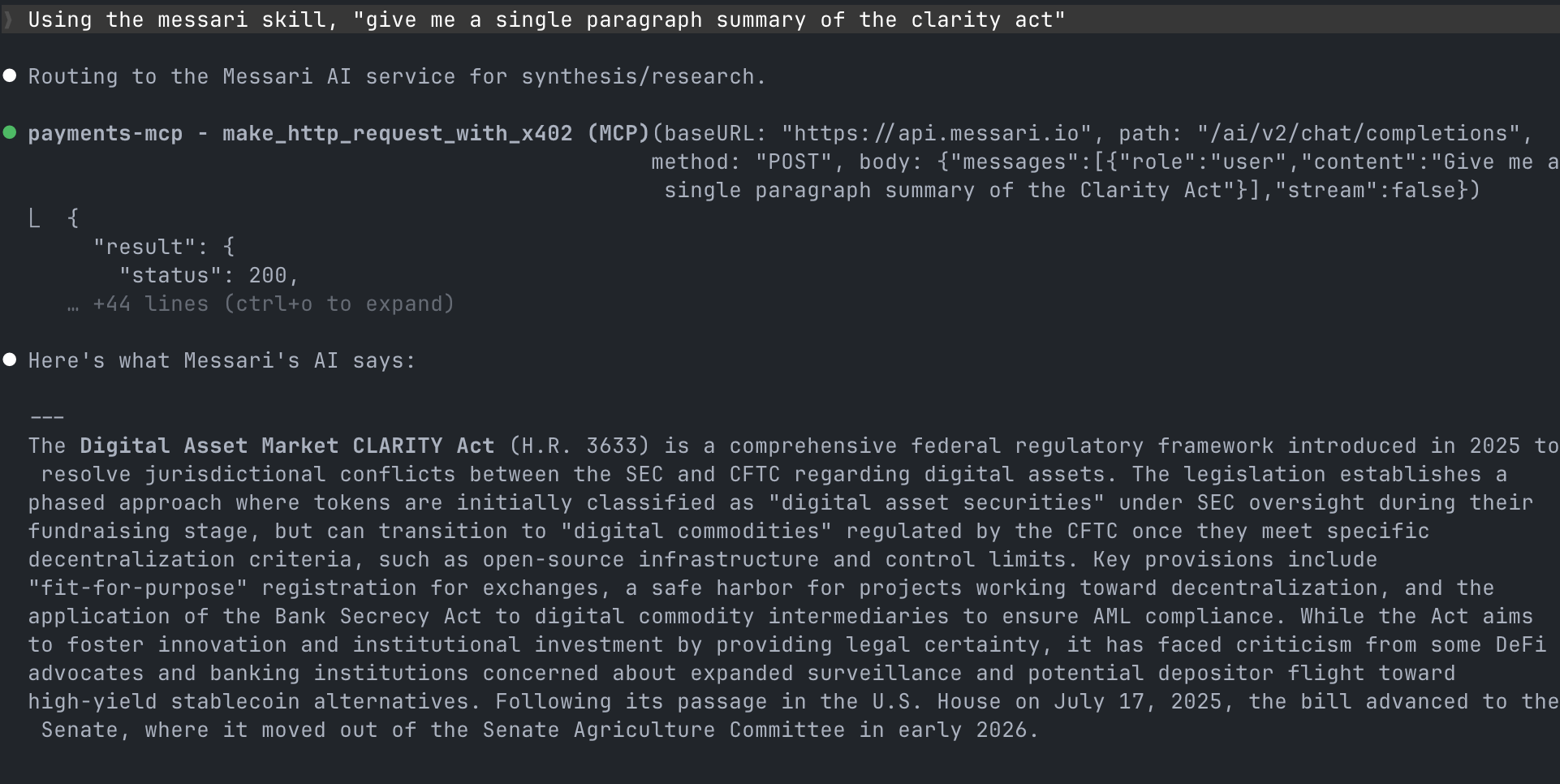
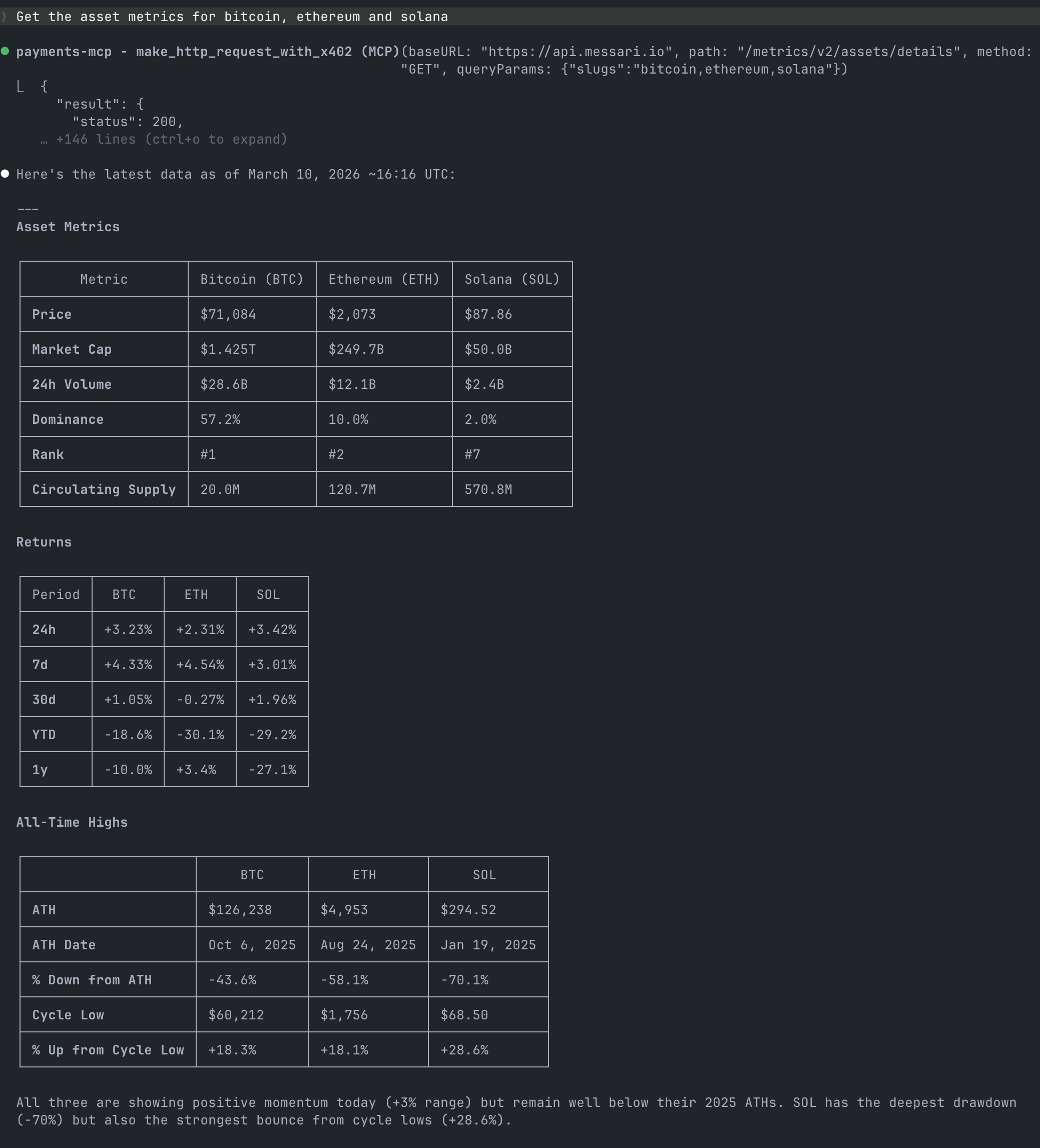
The official Messari x402 skill for Claude Code allows you to access Messari's data and insights directly from Claude Code authenticated with x402. Answer crypto questions using the Messari API: 34,000+ assets, 210+ exchanges, 14 data services
covering market metrics, social sentiment, research, on-chain analytics, fundraising, governance,
and more.
## Installation
### 1. Coinbase Payment MCP extension
For the best user experience, we recommend installing the Coinbase's Payment MCP extension which provides easy to use hosted wallet with x402 support.
Close any open Claude Code sessions and run the following command in your terminal:
```bash theme={null}
npx @coinbase/payments-mcp@latest --client claude-code --auto-config
```
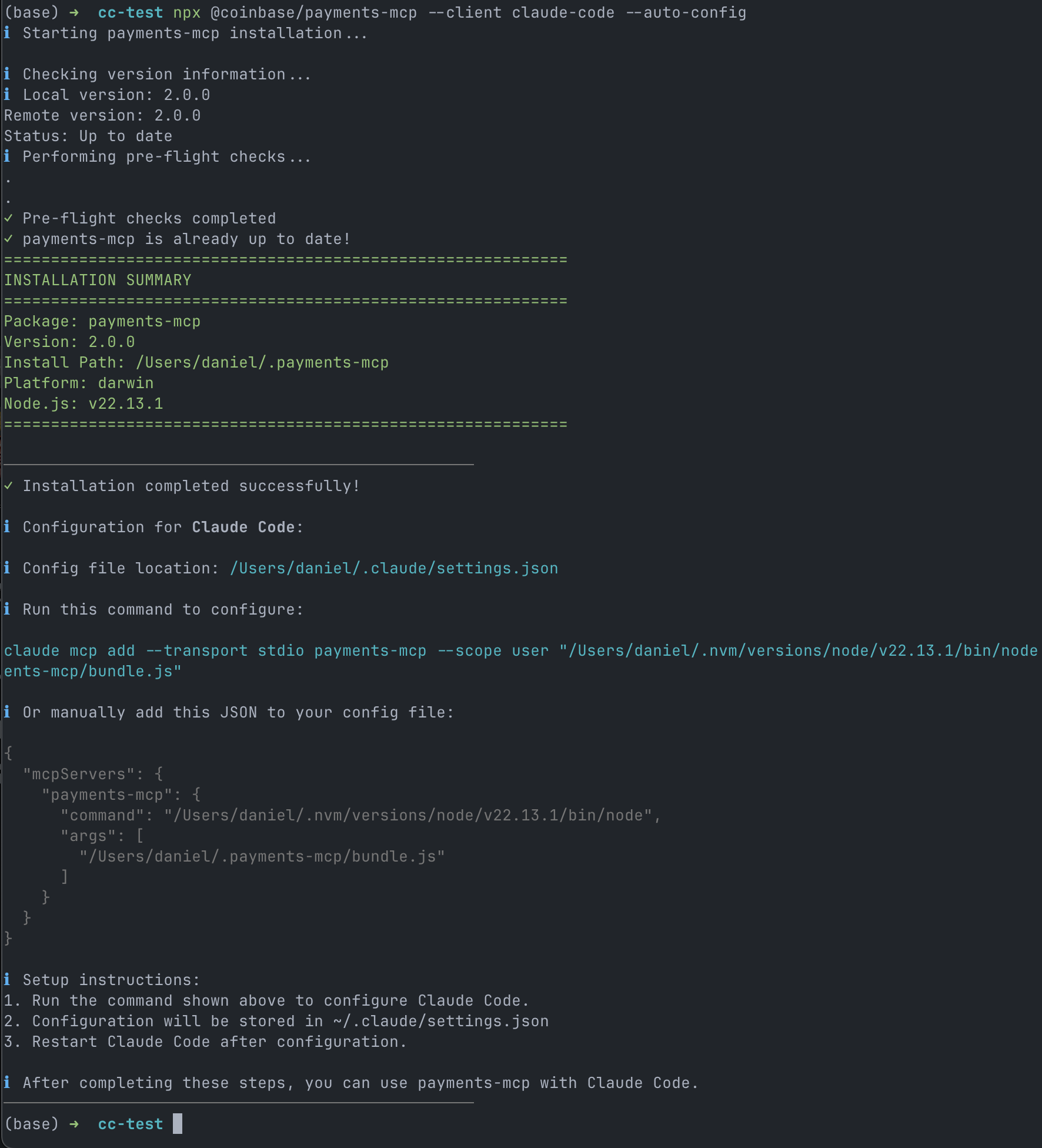 Run the command shown to you.
**IMPORTANT:** Double check the quotes when copying the command, it should be
```
// Correct
claude mcp add --transport stdio payments-mcp --scope user "COMMAND" "ARGS"
// Incorrect
claude mcp add --transport stdio payments-mcp --scope user "COMMAND ARGS"
```
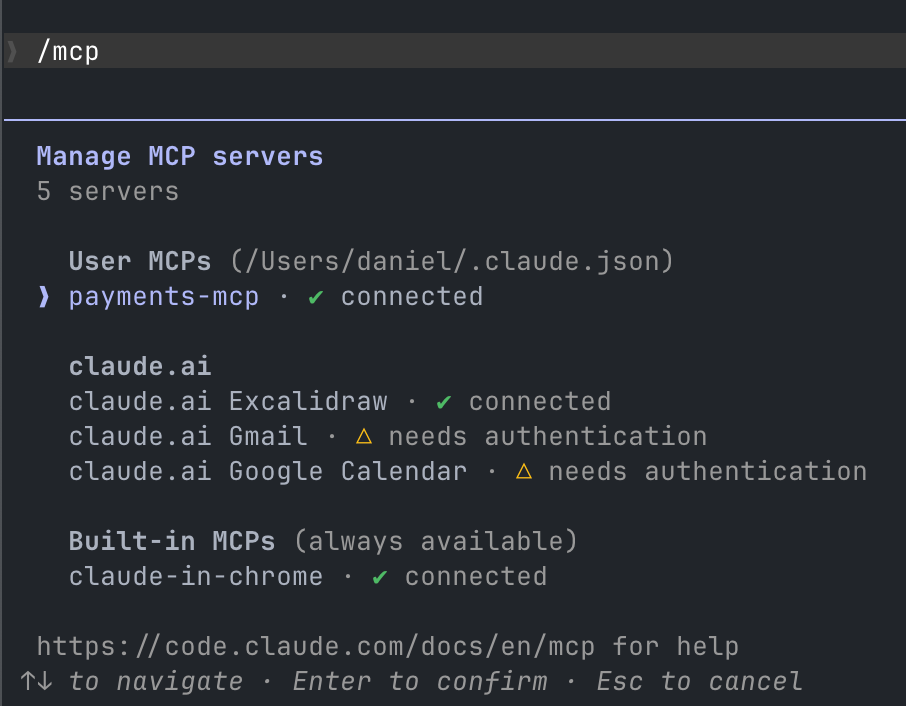
Start a Claude Code session and check the status of the MCP server with `/mcp` command, you should see the `payments-mcp` server connected
Run the command shown to you.
**IMPORTANT:** Double check the quotes when copying the command, it should be
```
// Correct
claude mcp add --transport stdio payments-mcp --scope user "COMMAND" "ARGS"
// Incorrect
claude mcp add --transport stdio payments-mcp --scope user "COMMAND ARGS"
```
Start a Claude Code session and check the status of the MCP server with `/mcp` command, you should see the `payments-mcp` server connected
 ### 2. Authenticate with your x402 wallet
Ask Claude Code to open the payments-mcp wallet
```
Open the payments-mcp wallet
```
### 2. Authenticate with your x402 wallet
Ask Claude Code to open the payments-mcp wallet
```
Open the payments-mcp wallet
```
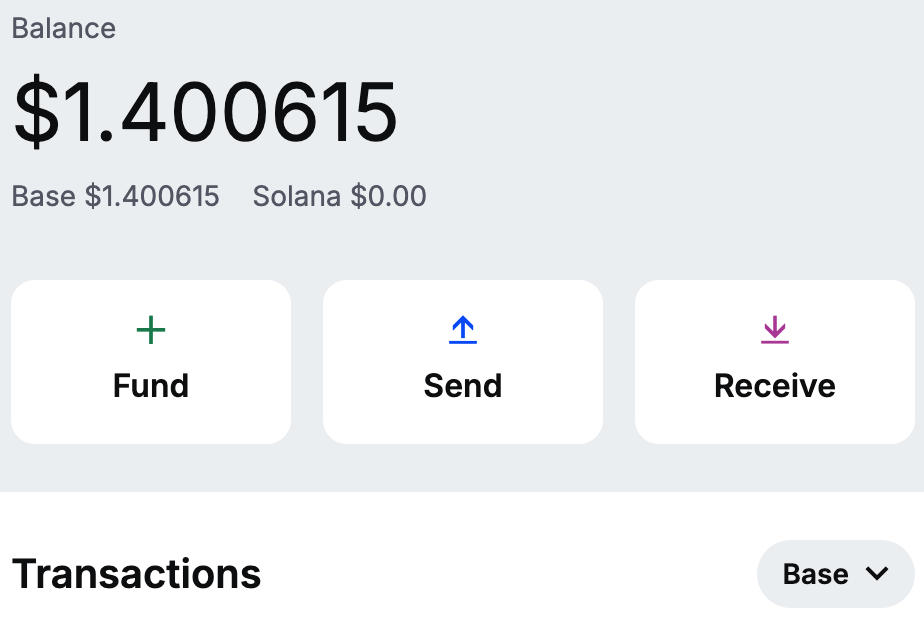
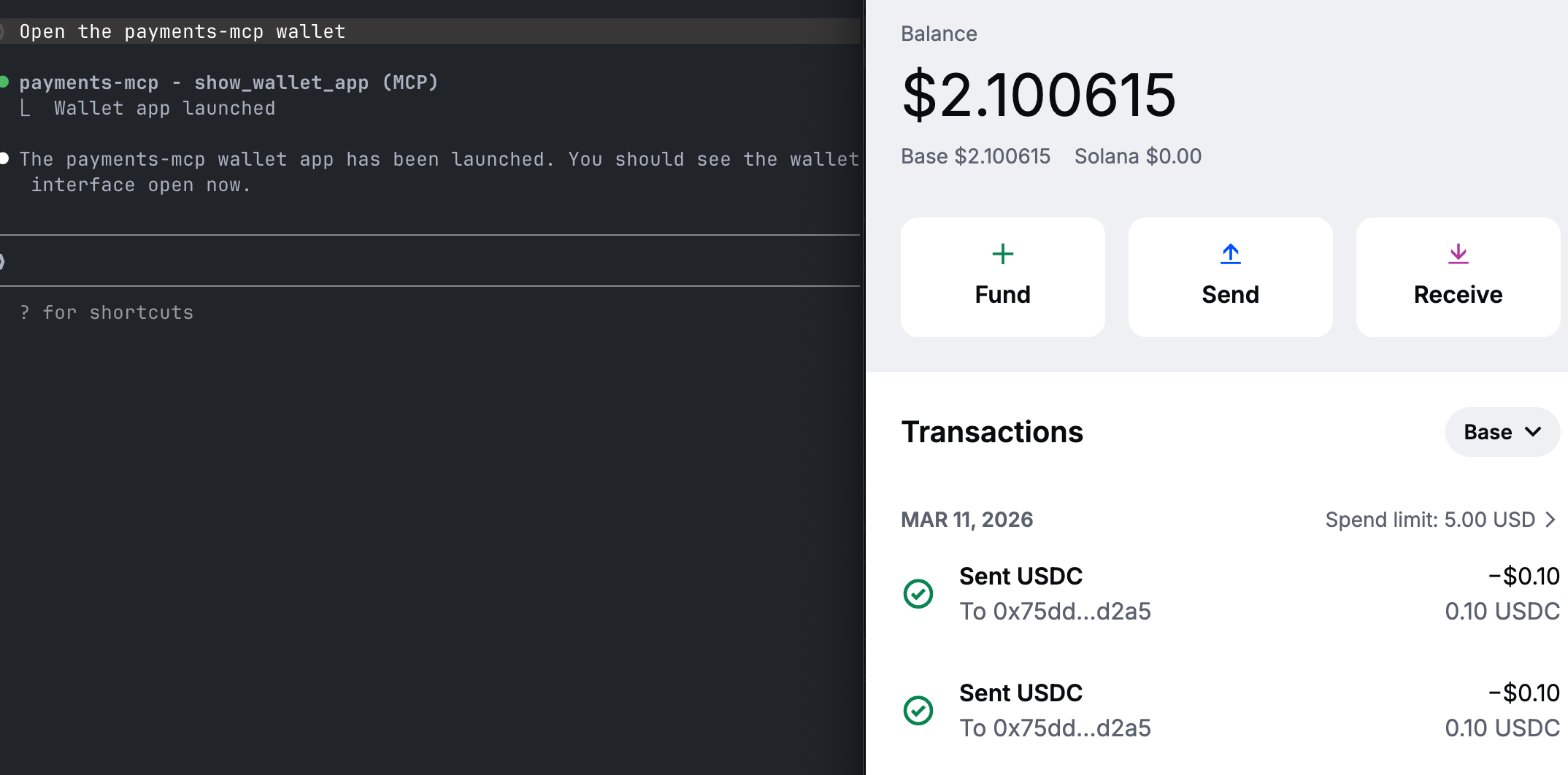 You can then sign into your coinbase account and add USDC to the wallet with the “Fund” or “Receive” buttons.
 ### 3. Get the Messari Skill
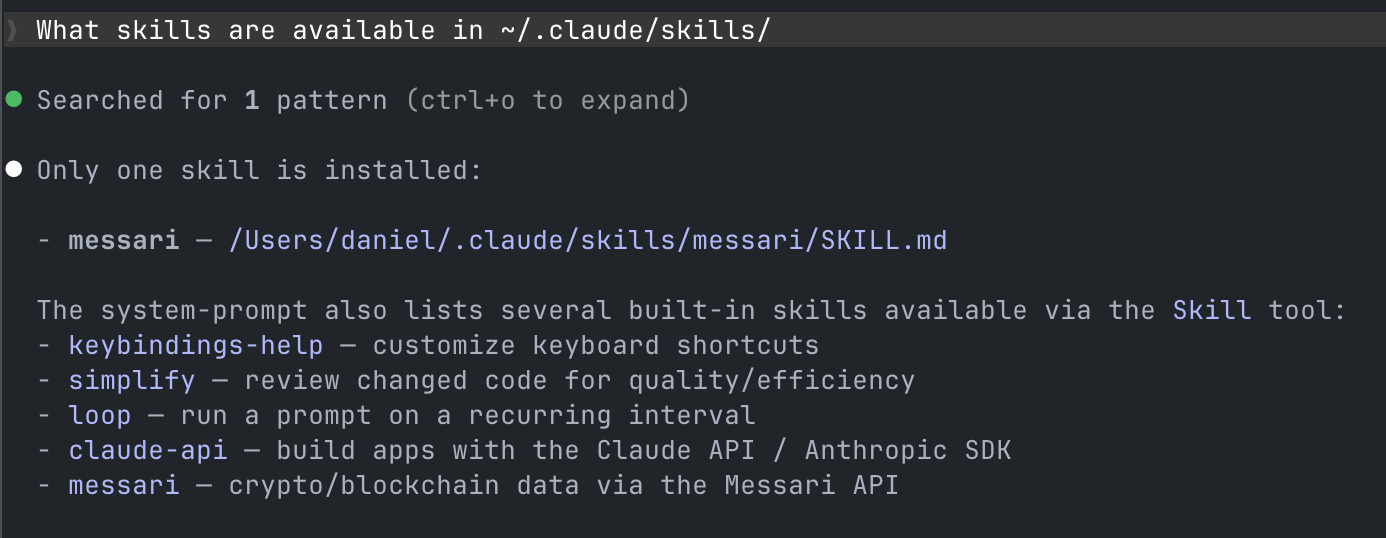
Now that your wallet is ready, you can add the Messari Skill to your `~/.claude/skills/ directory`
```bash theme={null}
mkdir -p ~/.claude/skills/messari && curl -o ~/.claude/skills/messari/SKILL.md https://raw.githubusercontent.com/messari/skills/refs/heads/master/SKILL.md
```
Claude Code should now have the Messari Skill available
### 3. Get the Messari Skill
Now that your wallet is ready, you can add the Messari Skill to your `~/.claude/skills/ directory`
```bash theme={null}
mkdir -p ~/.claude/skills/messari && curl -o ~/.claude/skills/messari/SKILL.md https://raw.githubusercontent.com/messari/skills/refs/heads/master/SKILL.md
```
Claude Code should now have the Messari Skill available
 ## Usage
And now you're ready to ask Messari anything about crypto
## Usage
And now you're ready to ask Messari anything about crypto
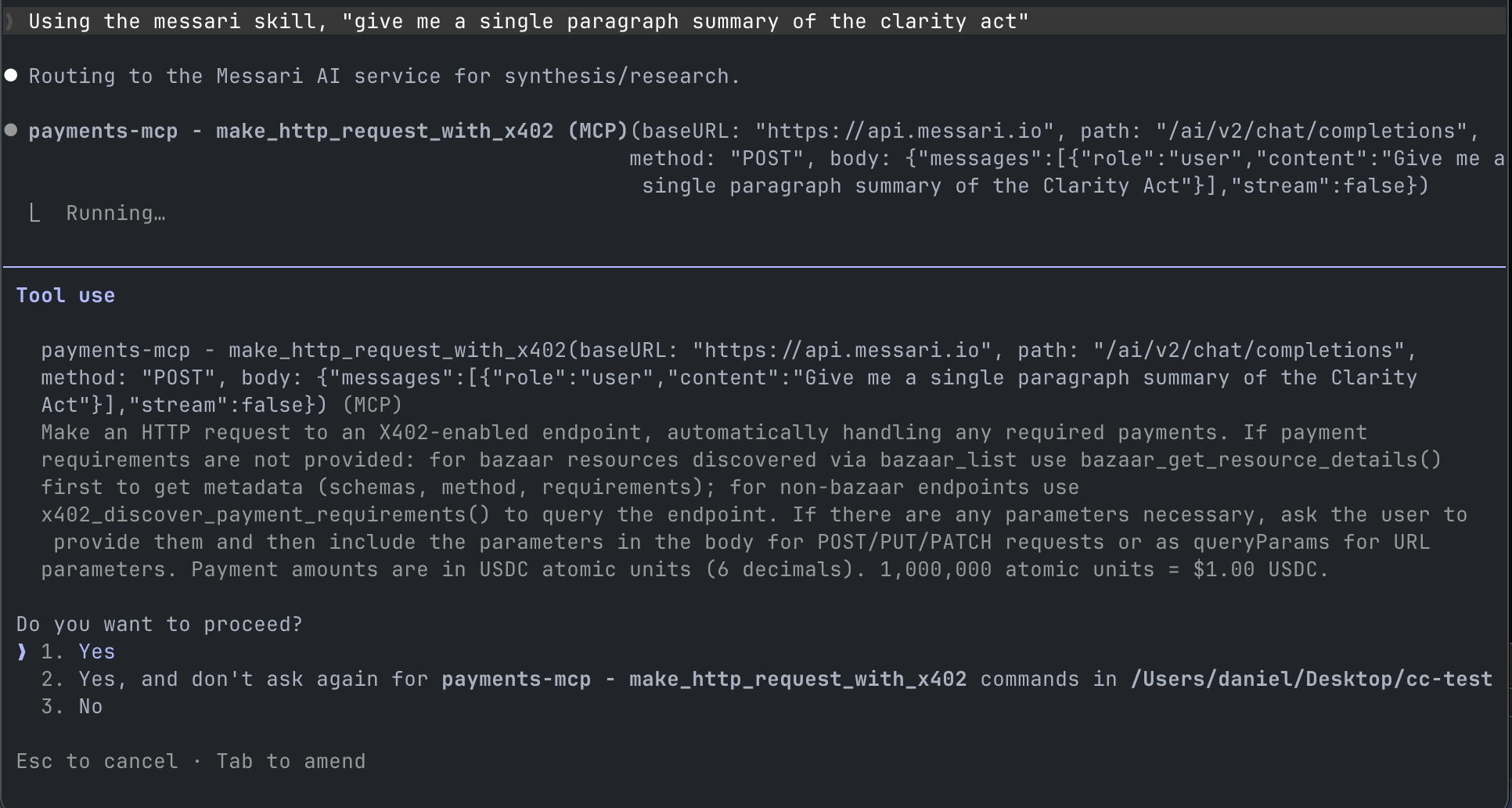 You'll be prompted to to confirm x402 payment, you can choose "don't ask again" to skip the prompt in the future.