> ## Documentation Index
> Fetch the complete documentation index at: https://docs.messari.io/llms.txt
> Use this file to discover all available pages before exploring further.
# Homepage
# Homepage Overview
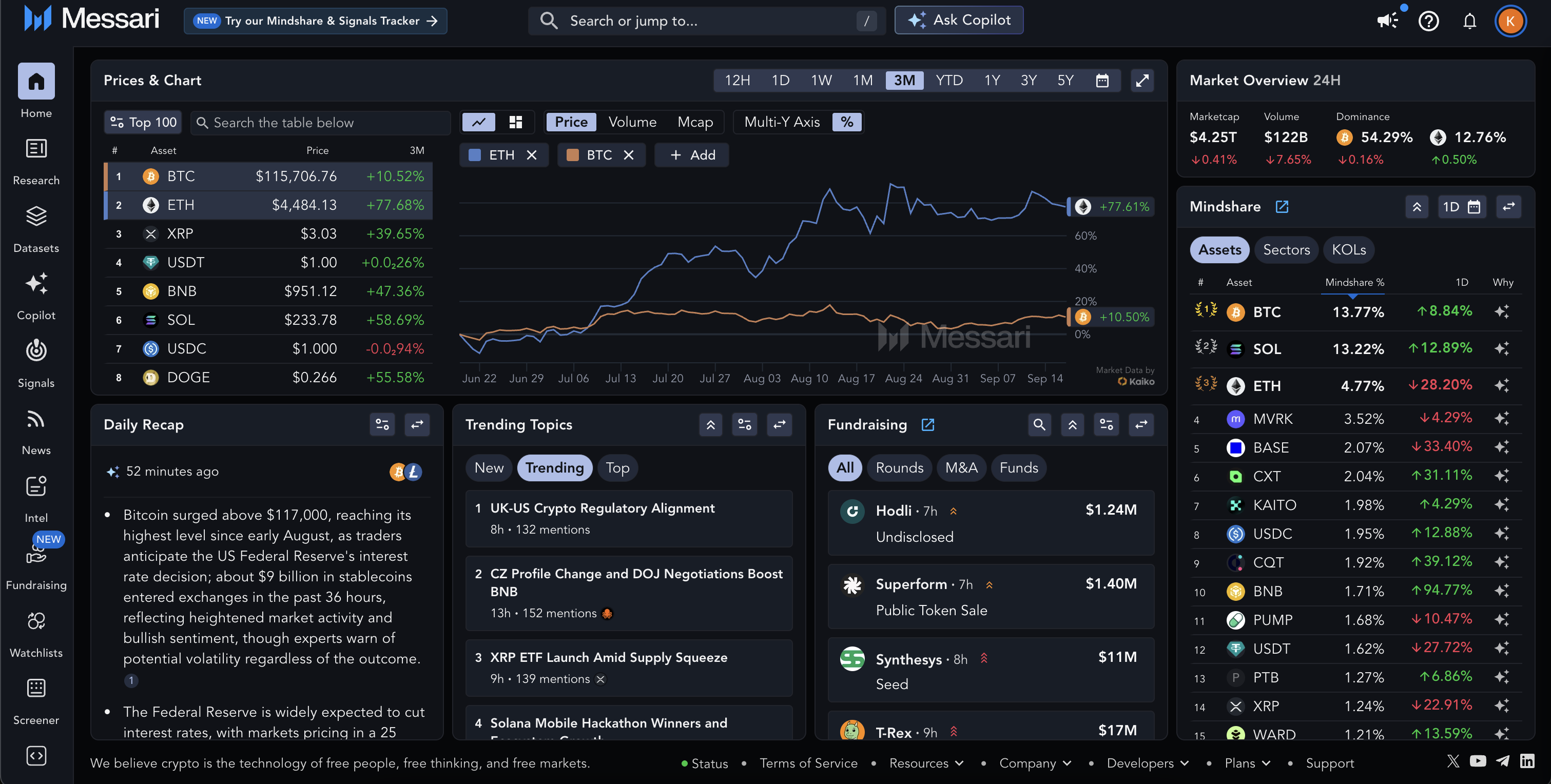
The **Homepage** is your customizable dashboard on Messari. It brings together the most important data, research, and signals in one place. You can **personalize the layout** by adding, removing, and rearranging modules to match your workflow.
 # Homepage Modules
The Homepage is made up of individual **modules.** Each module represents a dataset or feature supported by Messari and acts as a bite-size version supported on the Homepage.
Modules include:
* **Price & Chart** - Displays the price of one or more assets onto a chart
* **Market Overview** — Global crypto market cap, volume, BTC dominance, and trending metrics.
* **Mindshare** - Assets which are being discussed the most
* **News** - Newsfeed of individual articles
* **Sectors** - Marketcap changes in Sectors
* **Research** - Most recent Research published by Messari
* **Videos & Podcasts** - Feed of recent videos and podcasts
* **AI Recap** - Daily news recap of the most important headlines
* **Fundraising** - Most recent fundraising activity
* **Token Unlocks** - Upcoming token unlocks
* **Trending Topics** - Summarised discussions from X and crypto twitter
* **Key Developments** - Recent onchain and offchain event monitoring
# Customizing your Homepage Modules
You can change what appears on the Homepage to focus only on what matters to you.
In the top-right of some modules, you’ll see a “Swap Widget” button.
# Homepage Modules
The Homepage is made up of individual **modules.** Each module represents a dataset or feature supported by Messari and acts as a bite-size version supported on the Homepage.
Modules include:
* **Price & Chart** - Displays the price of one or more assets onto a chart
* **Market Overview** — Global crypto market cap, volume, BTC dominance, and trending metrics.
* **Mindshare** - Assets which are being discussed the most
* **News** - Newsfeed of individual articles
* **Sectors** - Marketcap changes in Sectors
* **Research** - Most recent Research published by Messari
* **Videos & Podcasts** - Feed of recent videos and podcasts
* **AI Recap** - Daily news recap of the most important headlines
* **Fundraising** - Most recent fundraising activity
* **Token Unlocks** - Upcoming token unlocks
* **Trending Topics** - Summarised discussions from X and crypto twitter
* **Key Developments** - Recent onchain and offchain event monitoring
# Customizing your Homepage Modules
You can change what appears on the Homepage to focus only on what matters to you.
In the top-right of some modules, you’ll see a “Swap Widget” button.
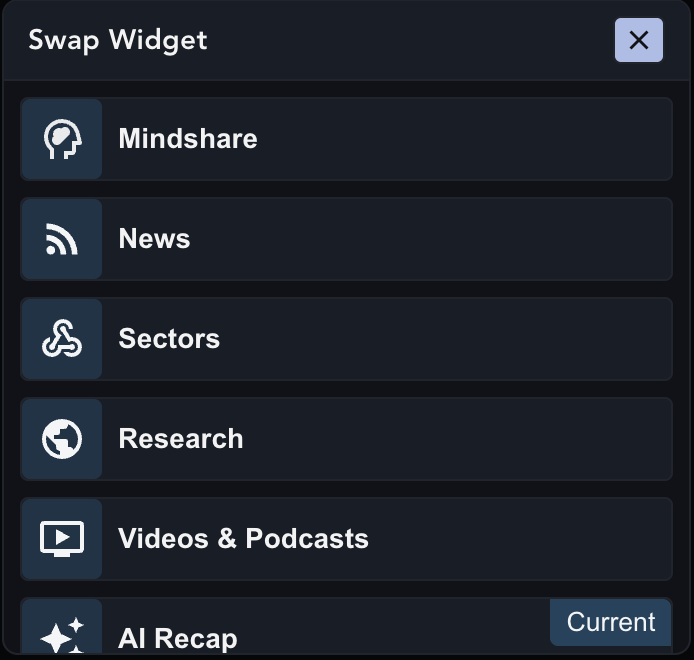
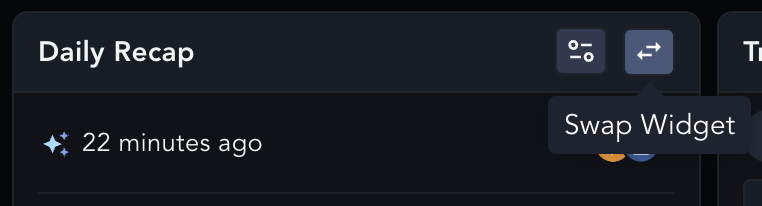 Clicking on the “Swap Widget” button will allow you to select from a variety of modules to suit your preference
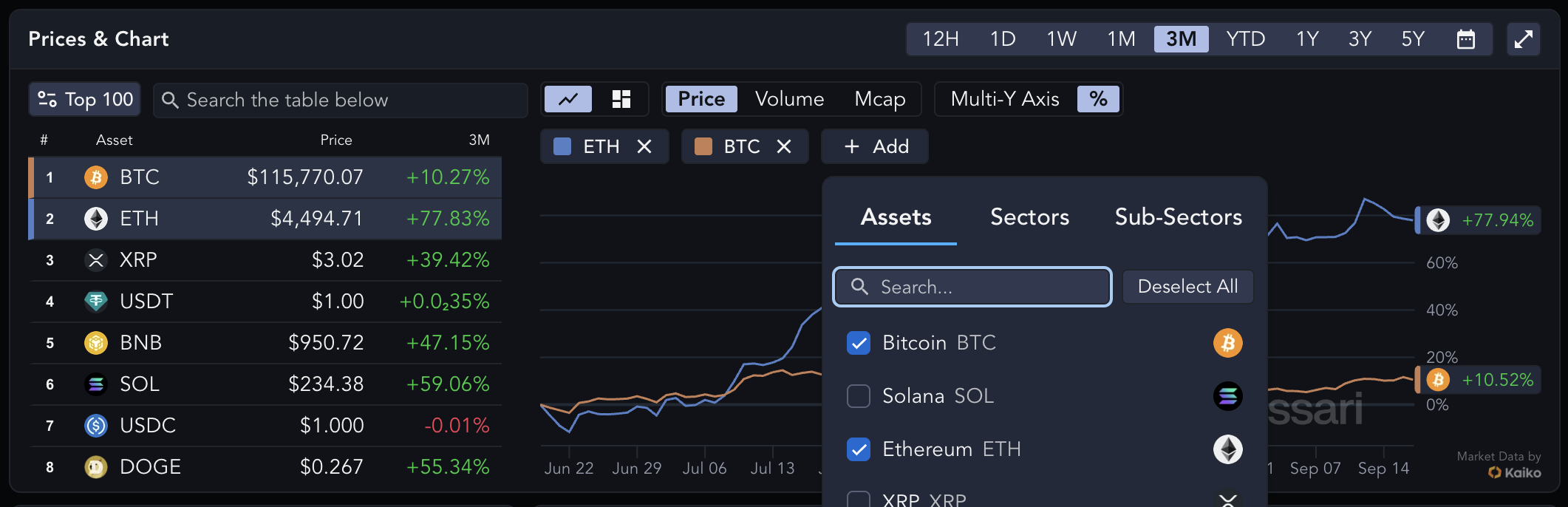
 # Displaying Multiple Assets in Price Chart
The Price Chart at the top of the page is capable of displaying multiple assets. This lets you see the price performance of the asset relative to other assets.
# Displaying Multiple Assets in Price Chart
The Price Chart at the top of the page is capable of displaying multiple assets. This lets you see the price performance of the asset relative to other assets.
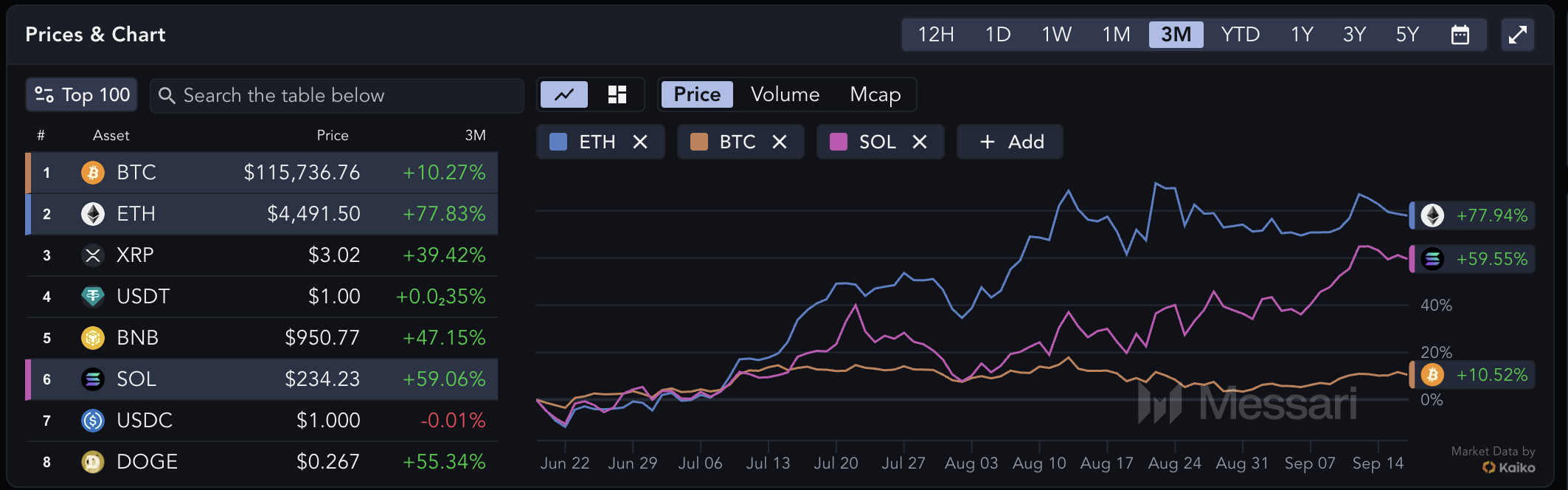 Hover over the asset you’d add to the chart and press the “+ ASSET” button
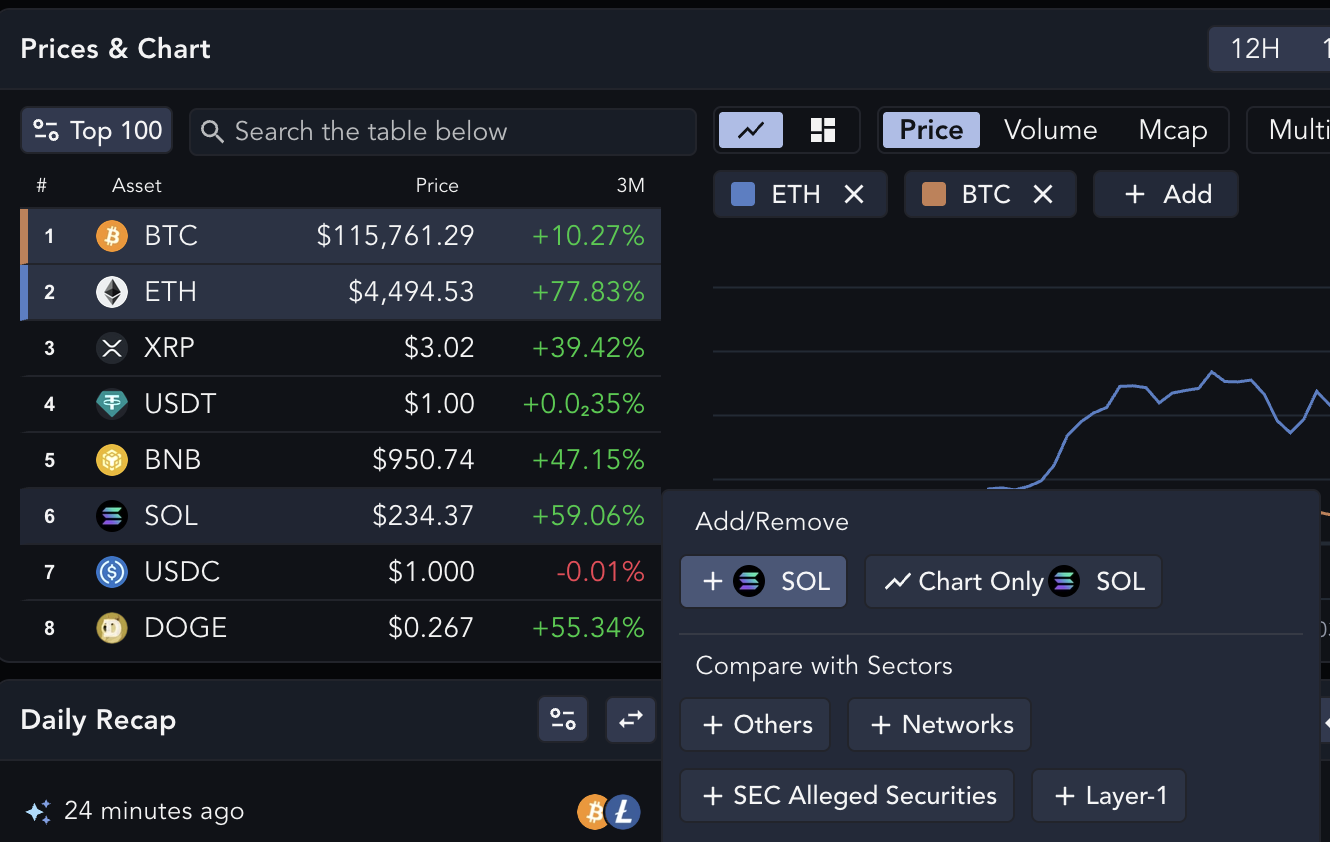 You can also do this by pressing the "+ Add" button above the price chart